What is a homelab? A homelab is a small personal technology setup you run at home to learn, experiment, self-host apps, store files, or make your home network more useful.
It does not need to be a loud rack of enterprise servers. For most beginners, the best homelab starts with a quiet mini PC, a backup drive, a decent network switch, and a plan for what you actually want to run.
This guide covers what a homelab is, what you can do with one, and what gear is worth buying first.
What is a homelab?
A homelab is your own small lab for computers, networking, storage, and self-hosted services.
People use homelabs to:
- Learn Linux, networking, Docker, virtualization, and cybersecurity basics.
- Run useful home services like Pi-hole, Home Assistant, Jellyfin, Plex, Nextcloud, or backup tools.
- Store and protect family photos, documents, and media.
- Test software without breaking a main computer.
- Build real skills for IT, cloud, DevOps, or security work.
A homelab can be as small as one mini PC or Raspberry Pi. It can also grow into multiple servers, a NAS, managed switches, cameras, smart home hardware, and a proper rack.
The beginner mistake is thinking you need all of that on day one.
You do not.
What should beginners buy first?
The best starter homelab is usually simple:
- A low-power computer to run services.
- Enough RAM and storage for the first few projects.
- A backup drive or NAS plan.
- A small UPS if the services matter.
- Basic networking gear if your current router is limiting you.
1. A low-power mini PC
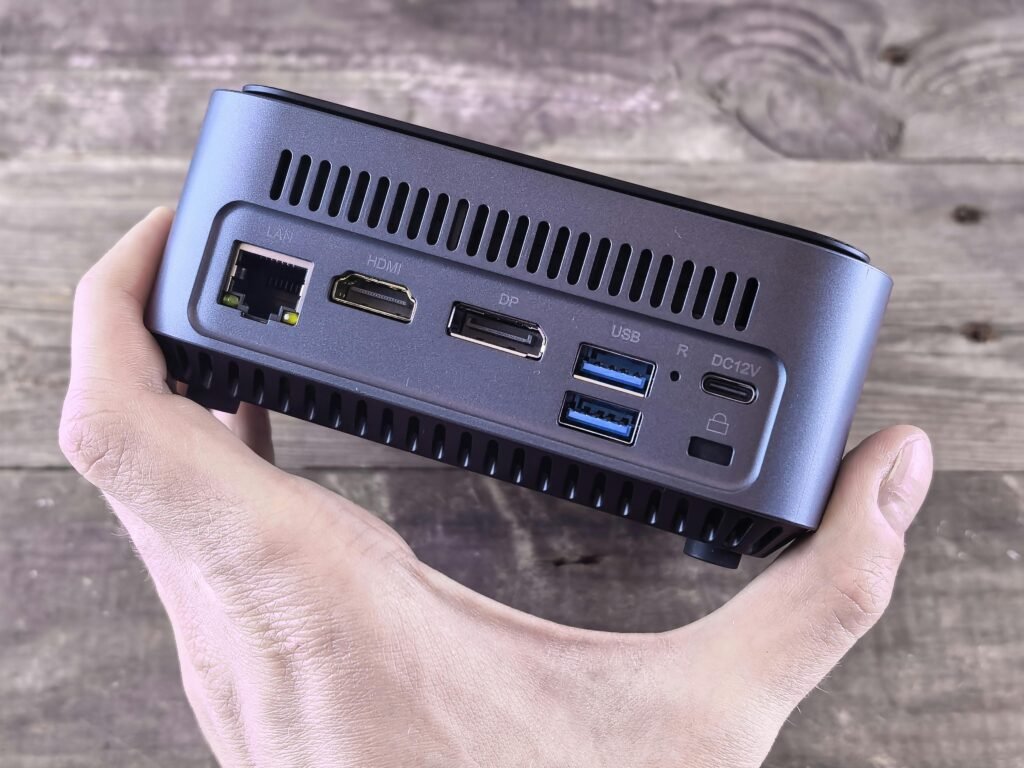
For most beginners, a used office mini PC or modern low-power mini PC is the easiest starting point.
Good starter uses:
- Docker containers
- Proxmox virtual machines
- Pi-hole
- Home Assistant
- Jellyfin or Plex
- Small databases
- Test Linux servers
- Network tools
Look for:
- 16GB RAM if possible
- SSD storage, preferably NVMe
- Intel i5/i7 class used office mini PC, or newer low-power chips like Intel N100/N305 for efficient builds
- Gigabit Ethernet minimum
- Low idle power draw
- Quiet operation
A Raspberry Pi can still be useful, especially for GPIO projects or very low-power services, but mini PCs are often a better value if you want to run multiple apps.
2. Enough RAM and SSD storage
RAM matters more than beginners expect.
A tiny server with 4GB RAM can run a couple of lightweight services, but it gets cramped quickly. If you plan to run Proxmox, multiple containers, media apps, or test VMs, start with 16GB if your budget allows it.
For storage:
- Use an SSD for the operating system and apps.
- Avoid running important services from old USB flash drives.
- Add separate storage later if you want media, backups, or file sharing.
3. A backup drive
Backups are less exciting than servers, but they matter more.
If you store anything important in your homelab, you need a backup plan. RAID is not a backup. A NAS is not automatically a backup. Sync is not always a backup either, because mistakes and deletions can sync too.
A beginner backup setup can be simple:
- One external USB hard drive for local backups.
- One cloud backup or offsite copy for important files.
- A monthly reminder to test that files can actually be restored.
If your homelab is only for experiments, backups are optional. If it stores family photos, documents, passwords, media libraries, or config files you care about, backups are not optional.
4. A UPS for reliability
A UPS, or uninterruptible power supply, gives your gear battery backup during short outages and power flickers.
You do not need a huge UPS for a beginner setup. A small unit that keeps your router, modem, mini PC, and maybe a NAS online for a few minutes can be enough.
Useful UPS features:
- Enough watt capacity for your devices.
- USB monitoring so your server can shut down safely.
- Replaceable battery.
- Surge protection.
If your homelab runs anything important, a UPS is one of the first reliability upgrades worth considering.
5. Basic networking gear
You can start with your existing router. Do not buy networking gear just to buy networking gear.
Upgrade when you hit a real limit:
- You need more Ethernet ports.
- You want faster file transfers to a NAS.
- You need better Wi-Fi coverage.
- You want VLANs or more control over your network.
- You are adding PoE cameras, access points, or other powered devices.
For many beginners, the first networking upgrade is a small unmanaged gigabit or 2.5GbE switch. Managed switches and VLANs can wait until you understand why you need them.
What can you run in a beginner homelab?
Good first projects:
- Pi-hole: blocks ads and trackers at the DNS level.
- Home Assistant: smart home automation.
- Jellyfin or Plex: personal media server.
- Uptime Kuma: uptime monitoring dashboard.
- Vaultwarden: self-hosted password manager, if you understand the security responsibility.
- Nextcloud: personal cloud storage, though it needs careful maintenance.
- Proxmox: virtualization platform for running multiple virtual machines or containers.
- Docker: simple way to run many self-hosted apps.
Start with one or two projects. Get them stable. Document what you did. Then add more.
Beginner budget tiers
Around $100
Best for learning and lightweight services.
Possible setup:
- Used thin client or older mini PC.
- Existing router.
- Existing external drive if available.
Good for:
- Pi-hole
- Linux practice
- Small Docker apps
- Home Assistant basics
Limitations:
- Less RAM.
- Less storage.
- May struggle with multiple VMs or media workloads.
Around $300
Best starter tier for most people.
Possible setup:
- Used office mini PC or efficient new mini PC.
- 16GB RAM.
- 512GB SSD.
- External backup drive if budget allows.
Good for:
- Docker
- Proxmox basics
- Home Assistant
- Pi-hole
- Uptime monitoring
- Small media server
- Learning Linux and networking
Around $600
Better if you want storage and reliability from the start.
Possible setup:
- Better mini PC or used small-form-factor desktop.
- 32GB RAM.
- Larger SSD.
- External backup drive or entry NAS.
- Small UPS.
- Small network switch.
Good for:
- More VMs
- Media apps
- NAS/backups
- More reliable always-on services
What not to buy first
Avoid these common beginner traps:
Loud enterprise servers
Used enterprise servers can be cheap to buy, but expensive to run. They may be loud, power-hungry, large, and overkill for a small home setup.
They are useful for learning enterprise hardware, but they are usually not the best first homelab purchase.
Too much network gear
Managed switches, VLANs, firewall appliances, and rack gear are useful later. At the start, they can become distractions.
Build a working setup first. Add complexity when there is a real reason.
No backup plan
A homelab that stores important files without backups is a future headache.
If the data matters, back it up before you add more services.
Exposing services too early
Opening ports to the internet can be risky. Before exposing anything, learn the basics of updates, strong passwords, 2FA, reverse proxies, VPNs, and access control.
For beginners, a private local service or VPN/tailnet access is usually safer than public exposure.
Simple beginner shopping list
If you want a practical starting point, build around this:
Buy first
- Mini PC server — Beelink Mini PC
A quiet mini PC with 16GB RAM and a 500GB-class SSD is the best first homelab box for most beginners. It can run Docker, Proxmox basics, Pi-hole, Home Assistant, monitoring, and small media services without the noise or power draw of an old rack server.
- UPS battery backup — CyberPower UPS Battery Backup
A UPS protects the router, modem, mini PC, and storage from brief outages and gives the server time to shut down safely. Look for enough capacity for your gear, USB monitoring, surge protection, and a replaceable battery.
- 8-port gigabit switch — TP-Link TL-SG108E
If your router does not have enough Ethernet ports, an 8-port gigabit switch is the first networking upgrade to buy. The unmanaged TL-SG108 is simple; the TL-SG108E adds basic smart-switch features for people who want to learn later.
- External backup drive — WD Elements / Seagate 4TB
If your homelab stores anything important, buy backup storage before buying more toys. A basic external USB hard drive is enough for local backups while you learn.
Optional next
NAS enclosure — UGREEN 2-Bay NAS
A NAS is useful when file storage, backups, and media libraries become the main reason for the homelab. Beginners can start with an external drive first, then move to a NAS when they know their storage needs.
Patch cables
Short Cat6 patch cables make the setup cleaner once you add a switch, NAS, access point, or extra wired devices. Shop Cat6 patch cables on Amazon
Small rack or shelf organizer
Skip full rack gear at the beginning. A small shelf, mini rack, or network organizer is enough to keep the router, switch, mini PC, and UPS tidy. Shop small network rack shelves on Amazon
That is enough to learn a lot. My beginner recommendation is mini PC + UPS + external backup drive first. Skip rack servers until you know you need the noise, heat, and power draw.
Affiliate disclosure
Some links on this page may be affiliate links. If you buy through them, I may earn a commission at no extra cost to you. I only recommend gear that fits the use case described, and I’ll call out limitations where they matter.