A homelab can use very little electricity, or it can quietly become one of the more expensive things running in your home.
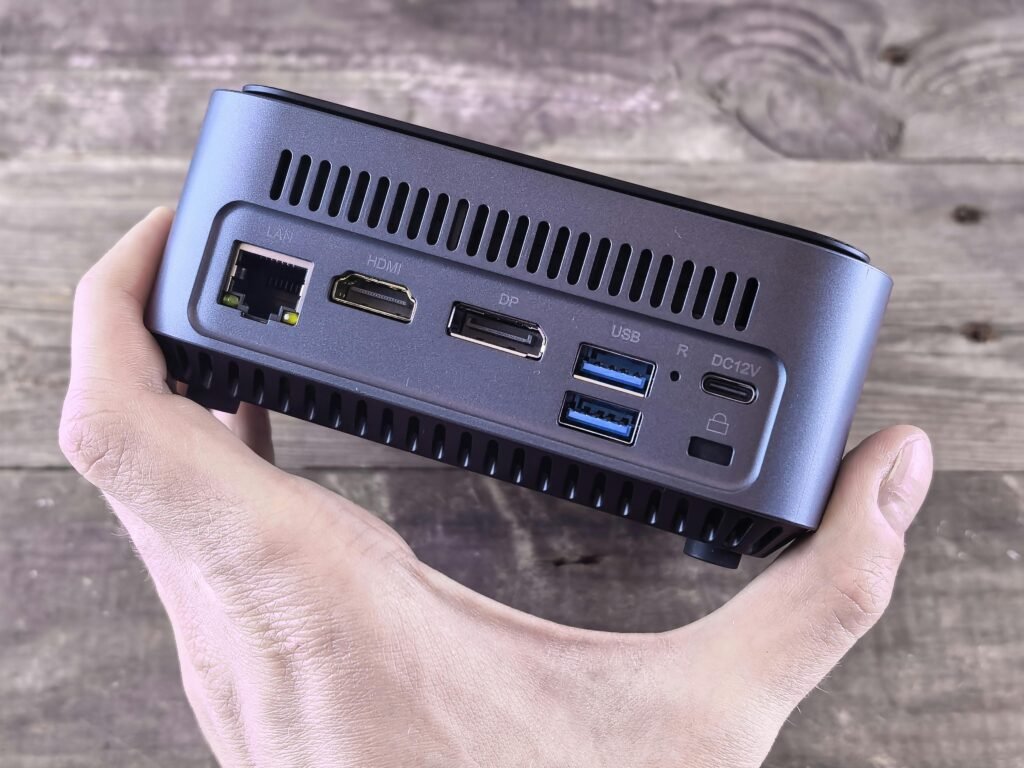
The difference usually comes down to hardware choices. A small mini PC may idle at low wattage all day. An old enterprise server may be cheap to buy but expensive to run 24/7.
This guide explains how to estimate homelab electricity cost, what affects power usage, and how to build a lower-power setup from the start.
Quick answer
A small beginner homelab might use 10–40 watts most of the time.
A larger setup with a NAS, networking gear, and multiple servers might use 80–250+ watts continuously.
Old enterprise servers can use much more, especially if they have multiple CPUs, many drives, or loud high-speed fans.
The most important number is not peak power. It is idle power, because most homelab gear sits idle or lightly loaded for most of the day.
How to estimate monthly electricity cost
Use this formula:
watts ÷ 1000 × hours used × electricity rate = costFor a device running 24/7:
watts ÷ 1000 × 24 × 30 × electricity rate = monthly costExample with a 30-watt mini PC and electricity at $0.16/kWh:
30 ÷ 1000 × 24 × 30 × 0.16 = $3.46/monthExample with a 150-watt older server:
150 ÷ 1000 × 24 × 30 × 0.16 = $17.28/monthThat difference may not sound huge in one month, but over a year it adds up.
These are rough examples. Your actual cost depends on hardware, workload, local electricity rate, drives, fans, and power settings.
Tiny setup
Possible gear:
- Raspberry Pi or very low-power mini PC
- Existing router
- One lightweight service like Pi-hole or Home Assistant
Typical power range:
- 5–15 watts
At $0.16/kWh:
- About $0.58–$1.73/month
Beginner mini PC homelab
Possible gear:
- One mini PC
- SSD storage
- Docker or Proxmox
- A few self-hosted services
Typical power range:
- 10–40 watts
At $0.16/kWh:
- About $1.15–$4.61/month
Mini PC + NAS + networking
Possible gear:
- One mini PC
- NAS with multiple drives
- Network switch
- Router/access point
- UPS overhead
Typical power range:
- 60–150 watts
At $0.16/kWh:
- About $6.91–$17.28/month
Older enterprise server setup
Possible gear:
- Used rack server
- Multiple drives
- Higher-speed fans
- More networking gear
Typical power range:
- 150–400+ watts
At $0.16/kWh:
- About $17.28–$46.08+/month
Why idle power matters
Most home services do not use full CPU all day.
Pi-hole, Home Assistant, Uptime Kuma, small Docker containers, dashboards, and light file services usually spend most of their time waiting.
That means idle power is the cost you pay most often.
When comparing hardware, ask:
- What does it use at idle?
- What does it use under normal load?
- Does it sleep correctly?
- Are the drives always spinning?
- Is the performance worth the ongoing cost?
A powerful server that idles high can cost more over time than a newer efficient machine.
Mini PC vs old enterprise server power use
This is one of the biggest beginner decisions.
Old enterprise servers can be tempting because they offer lots of CPU cores, RAM slots, drive bays, and expansion.
But for many home users, they are overkill.
A mini PC is usually better if you want:
- Low power use
- Quiet operation
- Small size
- Docker containers
- Proxmox basics
- Media apps
- Home Assistant
- Pi-hole
- A few virtual machines
An enterprise server makes more sense if you specifically want to learn enterprise hardware, need lots of RAM or PCIe expansion, or have a workload that actually uses the hardware.
What uses power in a homelab?
CPU and motherboard
The main system draws power even when idle. Newer efficient CPUs can make a big difference.
Drives
Hard drives use power and create heat. A NAS with several spinning disks may use more power than the server running your apps.
Network gear
Switches, access points, routers, and PoE devices all add to the total.
A small unmanaged switch may use very little. A PoE switch powering cameras and access points can use much more.
Fans and cooling
More heat means more fan noise and more energy used for cooling. Enterprise gear may be designed for datacenters, not bedrooms or offices.
UPS overhead
A UPS is useful, but it has some overhead. That does not mean you should skip one for important gear; just include it in your real-world power estimate.
How to measure your homelab power use
The easiest way is to use a plug-in power meter or smart plug with energy monitoring.
Measure:
- Idle power
- Normal daily usage
- Heavy load if relevant
- NAS spin-up and drive activity
- Full rack or power strip usage if possible
If you have a UPS with monitoring, it may also report load in watts.
Measure before and after upgrades. Guessing is usually worse than spending a little time with real numbers.
How to reduce homelab electricity cost
1. Start with efficient hardware
A low-power mini PC is often the best beginner choice. It gives enough performance without the power draw of old rack hardware.
2. Consolidate lightweight services
Instead of running multiple tiny devices, one efficient mini PC can often run many containers.
3. Avoid unnecessary spinning disks
Use SSDs for apps and VMs. Use hard drives when you need bulk storage, not because every service needs its own disk.
4. Turn off what you do not use
Not everything needs to run 24/7. Lab machines for experiments can be shut down when idle.
5. Use power settings carefully
Some systems support power-saving modes, CPU governors, or BIOS settings that reduce idle draw. Test stability after changing them.
6. Buy a UPS that fits the load
A correctly sized UPS helps protect your gear and allows graceful shutdown. Oversizing wildly can cost more than needed.
Is a homelab expensive to run?
It does not have to be.
A small mini PC homelab can cost only a few dollars a month in electricity. A larger NAS and networking setup costs more, but can still be reasonable if planned carefully.
The expensive path is buying old power-hungry hardware because it looks cheap upfront.
Final recommendation
If you are building your first homelab, optimize for low idle power, quiet operation, and enough performance for your actual projects.
A modest mini PC with SSD storage will be the right answer for many beginners. Add a NAS, UPS, better networking, and extra servers only when you know why you need them.
The best homelab is not just affordable to buy. It is affordable to leave running.
Affiliate disclosure
Some links on this page may be affiliate links. If you buy through them, I may earn a commission at no extra cost to you. I only recommend gear that fits the use case described, and I’ll call out limitations where they matter.